Ask. Review. Say go. Watch it happen.
This is how a recent demo ran, told by the person who asked for it. Nothing was staged for the screenshots: they are the ticket, the live status page and the plan checklist from the run itself.
I asked for a demo.
I asked our AI assistant to put together a demonstration: deploy a new customer portal from the template and fill it with sample patient records, with no real person's data anywhere in it. A request in plain words, nothing more.
It did not start. It wrote a ticket for my review.
Instead of acting, the assistant opened a ticket in our ticketing system with the proposed deployment spelled out: which cloud project, what the portal would be called, how the sign-in would work, whether it would hold regulated data and what audit trail that needs, and exactly what the run would do, step by step. Every answer was written as a proposal. I could change any of them before anything happened.
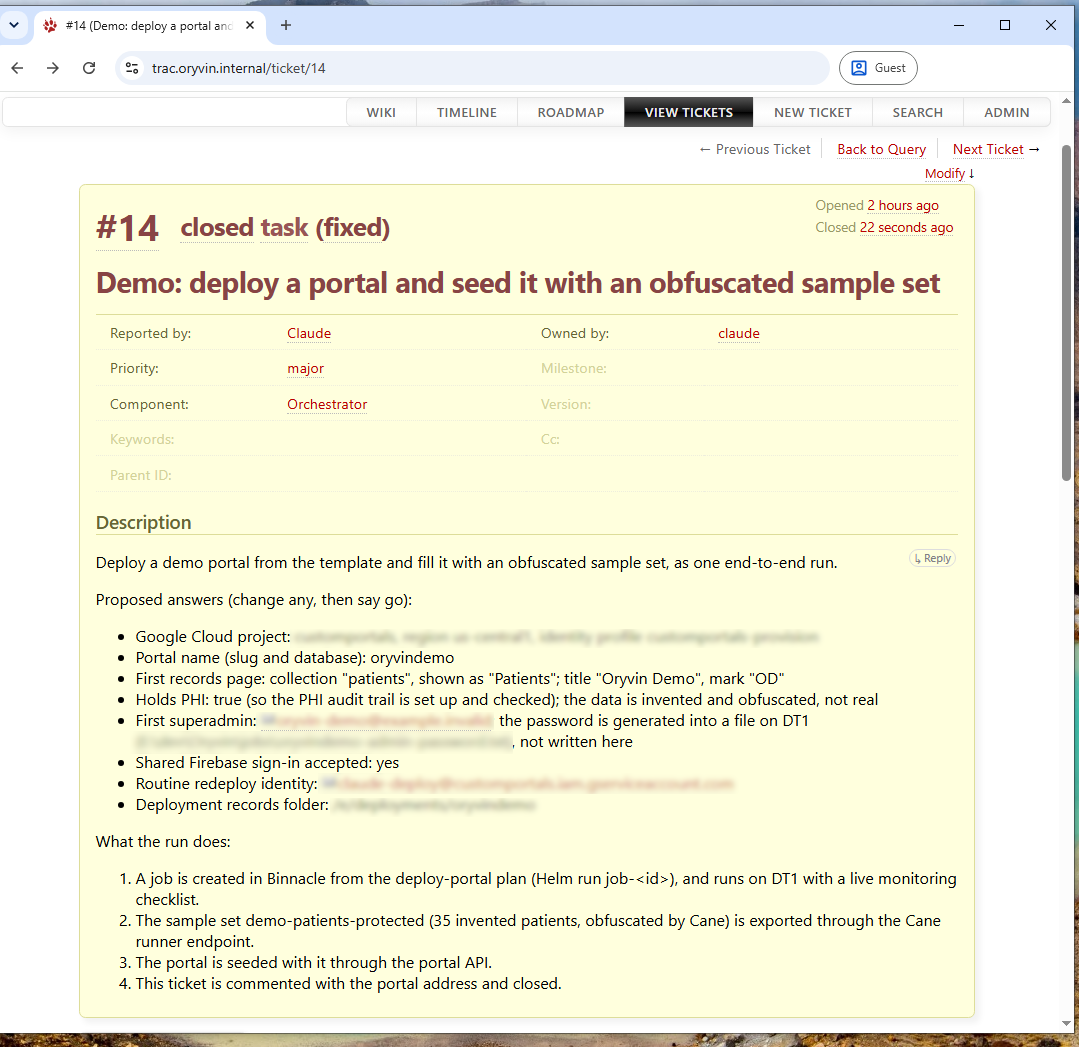
The ticket the assistant opened, shown after the run, which is why it reads closed. Details specific to the environment are blurred.
I read it, and I said go.
The proposal was clear enough to approve on its own, so I added one comment to the ticket. That comment is the approval: it is on the record, it has my name and a time on it, and it is the only thing the assistant waits for. The ticket is where work is requested, reviewed and authorized.
It acted on the ticket, and every step was reported by policy.
The assistant picked up the approved ticket and opened a job from the reviewed deployment plan. Orchestrator then carried out the plan step by step, while the assistant exported the sample data set from Cane, the obfuscation engine, which replaced names, identifiers, contact details and addresses consistently and left the clinical values alone.
None of this depended on anyone remembering to report. Policy requires every component to report to Helm, so the assistant, Orchestrator, the job record and Cane each appeared on the live status page as they worked, with what they were doing and what they found.
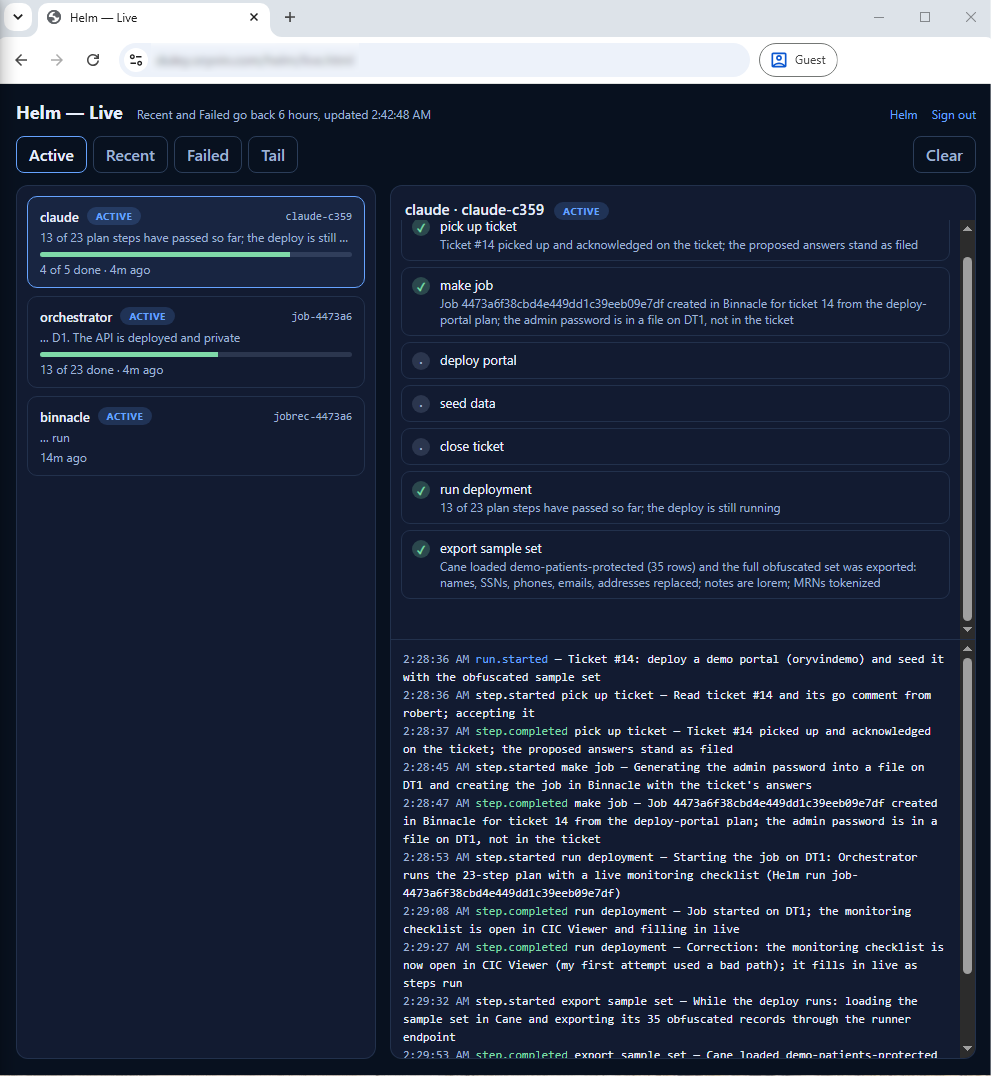
Helm, live during the run: the assistant's steps, Orchestrator's progress through the plan, and the job record, each with a message in plain words. The Tail button shows every entry from every component in one stream.
And I watched the plan itself, because I chose to.
Helm is the record that is always kept. Watching is optional. I asked for the plan's monitoring checklist to be opened on my screen, and it filled in as the work went on: each task ticked off as its checks were met, the current one marked running, and the rest waiting. It opens read-only, so looking at it can never get in the way of the run.
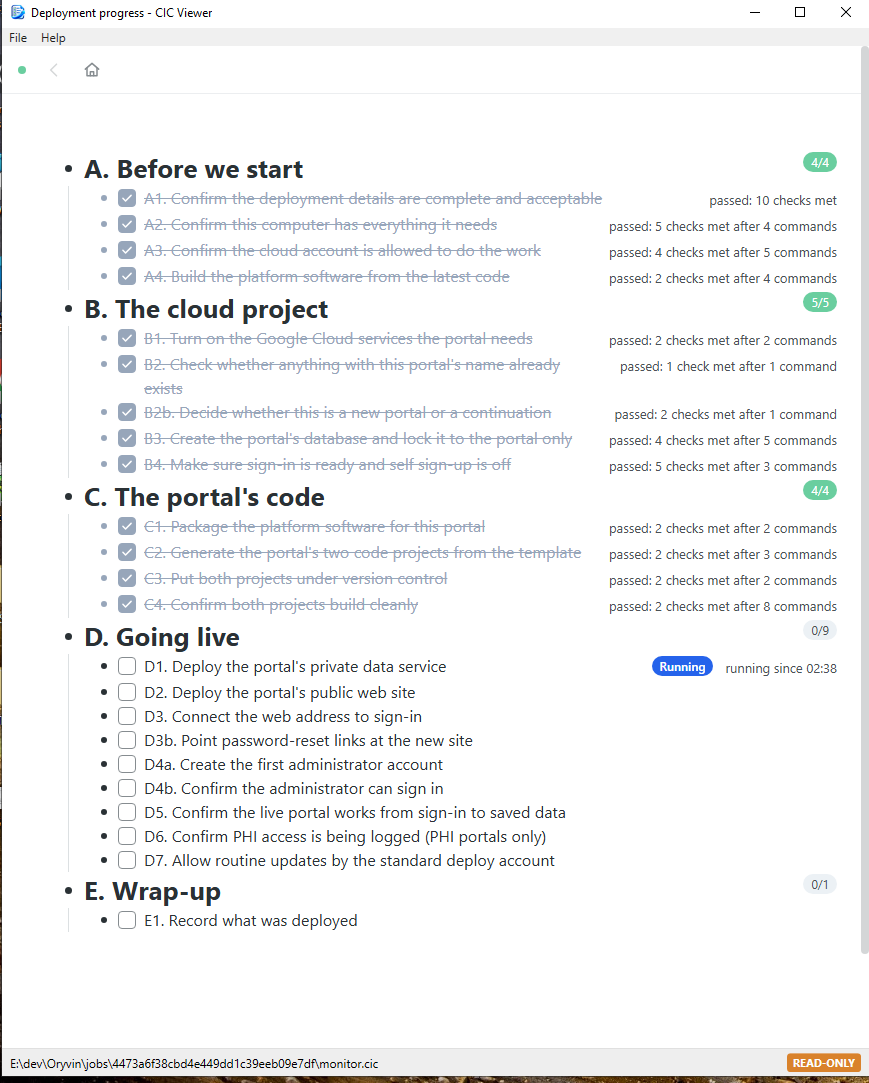
The monitoring checklist in CIC Viewer, mid-run: before we start, the cloud project and the portal's code are done; going live is running.
It finished the way it started: on the ticket.
When the run completed, the assistant seeded the new portal with the sample records through the portal's standard interface, then commented on the ticket with the portal's address and how to sign in, and closed it. The request, the approval, the work and the result are all in one place, and every step in between is on record in Helm.
Control that does not slow the work down.
Approval before action
The assistant proposes; a person decides. The approval is a comment on a ticket, with a name and a time, not a verbal go-ahead nobody can find later.
Tracking by policy
Every component reports to Helm as a rule, not a courtesy. The record exists whether or not anyone was watching.
Watching by choice
Leaders can follow the plan live in CIC Viewer when they want to. Looking is read-only and never gets in the way of the run.
Plans, not scripts
The work was carried out from a reviewed plan that anyone can read, kept under version control, and recorded with the exact version that ran.
Data protected from the start
The sample records were obfuscated by Cane before they went anywhere. The assistant never handled real patient data.
One trail, end to end
Request, approval, execution, evidence and result connect: from the ticket, through the job, to the steps in Helm and back to the ticket.
See your own process run this way.
Bring a recurring piece of work and we will show it requested, approved, executed and followed end to end.
Request a briefingNotes
- The assistant never has real patient data. Protected health information never passes into the view of an external AI. Where an assistant works with data, it is Cane that retrieves records from the organization's configured data source, and Cane presents them only as obfuscated data or, where development needs it, as deidentified data.
- A live portal reads its records from the source. In a real deployment, the portal itself brings records directly from the source system. The assistant is never in that path.
- The sample data here was chosen for this demonstration. The records in the screenshots are invented, and their sources were set up for one purpose: to compare original and obfuscated data side by side in a demonstration. They are not patients, and they are not how a production portal is fed.